Reserve with Google is a booking channel, not a booking strategy
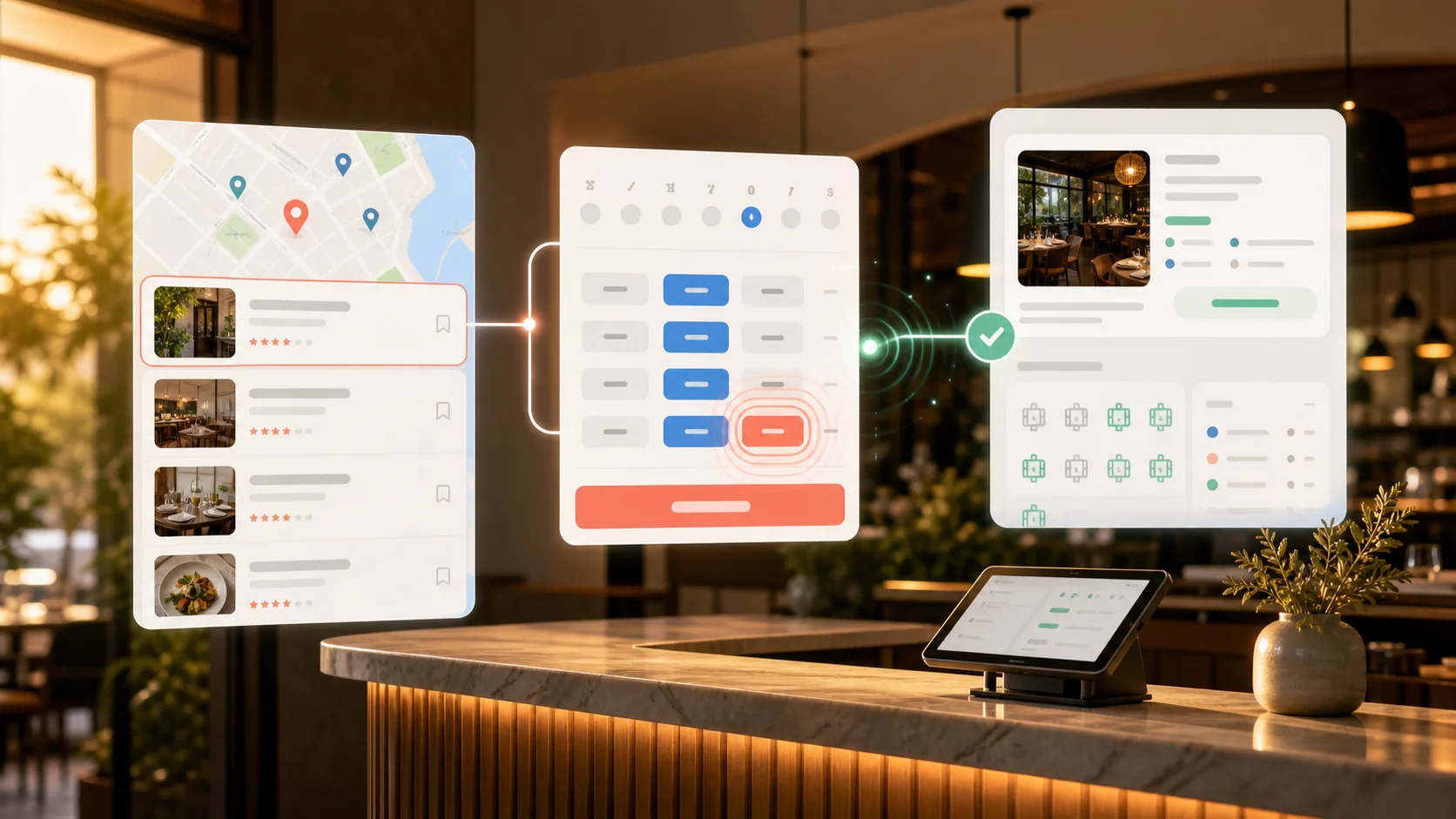
Reserve with Google matters because it reaches guests at the moment they are already choosing a restaurant. A guest may search on Google Search, open a restaurant on Google Maps, compare nearby options, and decide to book without ever visiting the restaurant website first.
That is powerful, but it also creates a responsibility. If Google shows the wrong slot, ignores a payment rule, misses an experience, or creates a booking the team cannot see properly, the channel becomes operational noise. Reserve with Google works best when it is connected to the same live availability, service rules, guest records, and payment logic that power the restaurant's direct booking journey.
The goal is not to give Google a separate calendar. The goal is to make Google another high-intent entry point into a controlled direct reservation system.
Key takeaways
- Reserve with Google can help guests book from Google Search and Maps, but the restaurant still needs accurate inventory behind it.
- A serious integration has three moving parts: complete inventory feeds, a live booking server, and real-time updates after bookings change.
- Live availability is the part guests feel most. Stale slots create failed booking attempts and weaken trust.
- Deposits, prepayments, paid experiences, and strict policies need a clear payment-capable path instead of a generic table booking.
- Restaurants should treat Google as one direct demand channel, with the same booking rules, guest context, and multilingual clarity used on owned surfaces.
What Reserve with Google actually does
Google's Reservations End-to-End documentation describes an integration where guests can discover and book restaurant reservations directly from Google surfaces such as Search and Maps. In practice, the experience depends on a restaurant or technology partner sending Google reliable inventory and responding to booking requests in real time.
That is the important distinction. Reserve with Google is not simply a marketing badge and it is not the same as copy-pasting a booking link into a profile. A proper restaurant integration gives Google structured information about the merchant, the reservation service, and the bookable availability. Then, when a guest interacts with a slot, Google checks whether the slot is still valid before the booking is created.
For the restaurant, the value is clear: guests can act from a place they already use to decide where to eat. For the operator, the requirement is just as clear: the channel has to respect the restaurant's actual rules.
Reserve with Google setup: eligibility, partners, and launch path
Restaurants do not normally connect to Reservations End-to-End by uploading feeds themselves. Google works with approved Actions Center partners that operate the integration, send inventory, answer booking requests, and support the booking lifecycle. The restaurant should therefore evaluate both eligibility and the partner's operating model before treating a Google booking button as ready to launch.
Start with this eligibility check:
- The restaurant has a physical Google Maps location, and the partner can match the merchant data to the correct profile.
- The venue offers bookable restaurant reservations in a market and category supported by the chosen partner.
- Merchant identity, service details, booking policies, and bookable inventory can be represented accurately.
- The booking system can answer live availability and create, update, or cancel reservations through the supported flow.
- Staff have one operational view for Google-origin bookings, guest details, payment context, and booking changes.
Then compare potential partners on operational depth, not just whether they can place a button:
| Partner question | Why it matters |
|---|---|
| Does the partner support full Reservations End-to-End or only a booking link? | The guest experience, inventory sync, and booking lifecycle are different. |
| How often are complete feeds sent, and how is live availability checked? | Scheduled feeds alone cannot prevent every stale slot. |
| Which reservation types and payment rules are supported? | Standard tables, requests, deposits, prepaid experiences, and card guarantees may need different paths. |
| How are updates, cancellations, and failures surfaced to staff? | The team needs a reliable operating workflow after the initial booking. |
| Who owns setup, monitoring, and Google escalation? | Restaurants need a clear path when inventory, matching, or booking actions fail. |
Reslify's integration overview explains how channel sync fits the reservation system, while the direct bookings from Google and search page covers the broader discovery and direct-booking strategy.
Google Maps reservations vs a booking link
Two Google booking experiences can look similar to a restaurant but behave differently. A booking link sends the guest from the Google Business Profile to a restaurant or provider page. Reservations End-to-End can expose structured availability and complete supported booking actions from Google Search or Maps through an approved partner.
| Google booking path | What the guest does | What the restaurant must manage |
|---|---|---|
| Booking link | Leaves Google to complete the reservation on the linked booking page. | Keep the destination current, mobile-friendly, branded, and connected to live inventory. |
| Reservations End-to-End | Selects supported availability through Google Search or Maps and completes the partner-supported booking flow. | Keep feeds, live lookup, booking actions, policies, and lifecycle updates synchronized. |
| Payment redirect | Starts from Google, then completes a payment-required booking on the partner page. | Preserve the selected inventory while showing the full price, policy, and payment outcome clearly. |
Neither route is automatically better for every booking. A simple table may work well in an end-to-end flow. A tasting menu, deposit, card guarantee, or experience with detailed terms may need a controlled redirect to the restaurant's payment-capable booking journey.
The four layers behind the guest experience
The guest sees a simple booking action. Underneath, a restaurant-grade Reserve with Google setup has several layers that need to stay aligned.
| Layer | What it does | Why restaurants should care |
|---|---|---|
| Discovery | The restaurant can appear to high-intent guests on Google Search and Maps. | This creates demand at the exact moment guests are choosing where to eat. |
| Inventory feeds | Google receives structured merchant, service, and availability data. | The restaurant controls which locations, services, slots, experiences, and rules are eligible. |
| Live booking server | Google asks whether a slot is still available and submits booking actions. | This prevents stale inventory from becoming broken guest experiences. |
| Real-time updates | Booking changes, cancellations, and availability changes are sent back to Google. | Google stays aligned after the restaurant's own system changes. |
This is why Reserve with Google should not be managed as a side workflow. If the booking system, website widget, Google availability, payment rules, and staff dashboard each tell a different story, the guest will eventually find the mismatch.
How the end-to-end flow works
The official integration is called Reservations End-to-End because it covers more than a listing. The flow begins before the guest clicks anything and continues after the booking is created.
1. Merchant feed
The merchant feed tells Google which restaurant locations are eligible. It includes the information needed to match the restaurant to the correct Google Maps place, such as the venue identity, address, phone number, website, location details, and relevant terms.
This step sounds basic, but it is one of the most important parts of the integration. If the merchant data does not match the real Google Maps location, the booking experience can be delayed, misrouted, or rejected during review.
2. Service feed
The service feed defines what the guest is booking. For restaurants, this is usually a reservation service, but the details matter: booking window, duration, service naming, booking URLs, advance notice, and any other service-level logic.
The service feed should mirror how the restaurant wants guests to understand the reservation. If the restaurant uses different experiences, areas, languages, or booking paths, those choices need to be represented cleanly instead of flattened into one generic "table" option.
3. Availability feed
The availability feed tells Google which slots are bookable. Google's feed documentation expects required merchant, service, and availability feeds, with complete inventory uploaded on a daily cadence.
For restaurants, availability is where the business logic lives. A slot may depend on date, time, party size, table capacity, area, experience, duration, confirmation mode, payment requirement, minimum notice, maximum notice, and operational limits. Sending availability is not the same as sending opening hours. It is sending bookable inventory.
4. Booking server
When a guest interacts with availability, Google needs live answers. The booking server requirements include methods such as HealthCheck, BatchAvailabilityLookup, CreateBooking, and UpdateBooking.
In restaurant language, that means:
- Google can check whether the booking endpoint is healthy.
- Google can ask whether one or more slots are still available before the guest confirms.
- Google can request a new booking when the guest submits the reservation.
- Google can request changes or cancellations for an existing booking when supported.
The booking server is the guardrail between a visible slot and a real reservation. It should use the restaurant's current availability source, not yesterday's exported calendar.
5. Real-time updates
After a booking is created, the restaurant's world keeps moving. A guest cancels. A host changes the party size. A reservation request is declined. A paid experience becomes unavailable. A table is taken through another channel.
Google's real-time update documentation covers how partners notify Google when booking and availability state changes. Restaurants still need complete feeds, but real-time updates help close the gap between scheduled feed uploads and what is happening right now.
Why live availability is the part guests remember
Most guests do not think about feeds or booking servers. They remember whether the slot they clicked was real.
If a guest sees 8:00 PM for four people, clicks it, enters details, and then gets rejected because the slot was stale, the restaurant loses momentum. Sometimes the guest retries. Often they leave. That failed attempt can feel like the restaurant was disorganized, even if the problem was only a disconnected channel.
Live availability reduces that risk by checking the current booking state at the point of intent. It also keeps Google aligned with the restaurant's other booking surfaces:
- The restaurant website should not sell one version of availability while Google sells another.
- Experiences and areas should not appear on Google if they are not actually bookable.
- Party size rules should be enforced before the guest reaches confirmation.
- Request-only slots should not be presented like instant-confirmed tables.
- Payment-required slots should route into a path that can collect the required payment or policy acceptance.
This is where Reserve with Google becomes an operations topic, not only a growth topic.
What restaurants need to control before launch
Before a restaurant treats Reserve with Google as an acquisition channel, it should define the operational rules that the channel must respect.
| Control point | Questions to answer before going live |
|---|---|
| Merchant identity | Does the restaurant data match the correct Google Maps place, including address, phone, website, and location details? |
| Service rules | What is bookable through Google: standard reservations, request-only bookings, experiences, private areas, or selected dayparts? |
| Availability logic | Which slots should appear by party size, duration, table capacity, area, and service window? |
| Confirmation mode | Which bookings can be confirmed instantly, and which require restaurant approval? |
| Payment rules | Which reservations require a deposit, prepayment, card hold, or payment redirect before they are accepted? |
| Terms and policies | What cancellation, no-show, marketing preference, and guest consent language needs to be visible? |
| Languages | How should the booking path stay clear for English, German, and Turkish-speaking guests? |
| Operational ownership | Where will staff see Google-origin reservations, guest notes, status changes, and payment context? |
If these rules are vague, Google visibility can create more manual work. If they are precise, the channel can become a clean extension of direct bookings.
Deposits, prepayments, and paid experiences need special care
Many restaurants now sell more than standard free reservations. They use deposits for high-risk bookings, prepayments for tasting menus or events, card holds for no-show protection, add-ons for celebrations, and paid experiences for premium inventory.
Those moments should not be squeezed into a plain "reserve a table" flow if payment or explicit policy acceptance is required.
Google supports payment-related flows through add-ons such as Payment Redirect, where guests can be routed to a partner booking page when payment is needed. This is important for restaurants because the branded booking page can handle the full commercial context:
- Deposit amount or prepayment amount.
- Currency and tax treatment where applicable.
- Cancellation and refund rules.
- Guest acceptance of payment and no-show policies.
- Add-ons, experiences, gift cards, or dining credits connected to the booking.
- Payment provider checkout and confirmation state.
For a simple table, Google can be the whole booking surface. For a booking that needs payment commitment, the guest may need to complete the reservation on a payment-capable restaurant page. The important thing is that the guest does not hit a dead end.
How Reslify handles Reserve with Google
Reslify is built to keep Reserve with Google connected to the same direct booking system used by the restaurant's owned surfaces.
At a high level, Reslify supports the Reserve with Google flow in five ways:
- Merchant, service, and availability feeds publish eligible restaurant inventory to Google.
- Live availability checks verify slots against the current booking rules before Google creates a reservation.
- Google-origin bookings are created through the same reservation logic used by the restaurant's direct booking journey.
- Booking changes can be sent back to Google so status, party size, date, time, and duration stay aligned.
- Payment-required inventory can route into a branded Reslify booking path instead of pretending every slot is payment-free.
That means the restaurant does not need to operate Google as a separate reservation book. Google can create demand, while Reslify keeps the underlying rules consistent: live availability, experiences, areas, confirmation mode, payment requirements, guest records, and staff-facing context.
Reslify guest and merchant surfaces support English, German, and Turkish with locale-aware date, time, and currency formatting. For restaurants serving local guests, tourists, and international diners, that matters. Reserve with Google can start the booking moment, but the path still needs to be understandable in the guest's language.
Common mistakes to avoid
Reserve with Google can underperform when restaurants treat it like a profile enhancement instead of a live booking channel.
| Mistake | What happens | Better approach |
|---|---|---|
| Sending broad opening hours as availability | Guests see times that are not actually bookable. | Publish real bookable slots based on tables, capacity, services, and rules. |
| Using stale inventory | Google shows slots that disappeared through the website, phone, or staff dashboard. | Use live lookup and real-time updates to keep channels aligned. |
| Ignoring experiences and areas | Premium seating, tasting menus, terrace tables, and request-only inventory get flattened. | Represent bookable choices with clear service, resource, and confirmation logic. |
| Hiding payment requirements | Guests reach confirmation before learning they need a deposit or prepayment. | Use a payment-capable path for deposits, prepayments, card holds, and paid experiences. |
| Separating Google bookings from operations | Staff cannot see origin, status, guest details, or booking context in one place. | Route Google-origin reservations into the same operational system as direct bookings. |
| Forgetting language clarity | Guests understand discovery but get confused during policy, time, or payment steps. | Keep booking language and formatting clear across English, German, and Turkish surfaces. |
A launch checklist for restaurants
Use this checklist before enabling or rebuilding a Reserve with Google integration:
- Confirm the restaurant is eligible and matched to the correct Google Maps location.
- Make sure merchant profile data is complete: name, address, phone, website, location, and public terms.
- Decide which services are eligible for Google booking and which should stay direct-only.
- Validate availability by party size, duration, service window, table capacity, area, and experience.
- Define which slots are instant-confirmed and which should create a booking request.
- Map deposits, prepayments, card holds, and paid experiences to a payment-capable booking path.
- Test live lookup, create booking, update booking, cancellation, and no-availability scenarios.
- Verify that Google-origin reservations appear in the staff workflow with guest and payment context.
- Check guest-facing copy in every supported language before launch.
- Monitor failed booking attempts, mismatched slots, declined requests, and payment-required redirects after launch.
The best Reserve with Google setup is boring in the right way. Guests find a real slot, the booking lands where staff expect it, and the restaurant's rules are respected without manual cleanup.
Where Reserve with Google fits in a direct booking strategy
Restaurants should not think of Reserve with Google as the opposite of direct booking. Done properly, it can support direct booking.
Google creates intent and reduces friction for guests who are already searching. The restaurant's booking platform should convert that intent into a controlled reservation record, with the same rules used across the website, branded booking journey, staff dashboard, and payment flows.
For restaurants and hospitality groups, the strategic question is not "Should we be on Google?" It is:
- Can Google show accurate live availability?
- Can the restaurant keep ownership of the booking context?
- Can staff manage Google-origin reservations in the same workflow as direct bookings?
- Can paid and premium experiences be protected instead of oversimplified?
- Can the guest move from discovery to confirmation without losing trust?
If the answer is yes, Reserve with Google becomes a high-intent acquisition channel that still respects the restaurant's commercial model.
FAQ
Is Reserve with Google the same as adding a booking link to Google Business Profile?
No. A booking link can send guests from a Google profile to a provider or restaurant page. Reservations End-to-End is deeper: Google receives structured inventory, checks availability, and can create or update bookings through an approved integration.
Does Reserve with Google require live availability?
A serious setup should use live availability. Feeds give Google structured inventory, but the booking server checks whether a slot is still valid when the guest interacts with it. Without that live check, restaurants risk showing stale slots.
Can restaurants use Reserve with Google for deposits or prepaid experiences?
Yes, but payment-required reservations need the right flow. Deposits, prepayments, card holds, and paid experiences should route into a booking path that can collect payment, show policy terms, and record the result correctly.
Who manages cancellations and booking changes?
The reservation platform should handle booking lifecycle changes and send the relevant updates back to Google. That keeps the guest-facing Google experience aligned with what the restaurant staff sees internally.
Is Reserve with Google useful for premium restaurants?
It can be, especially when the integration respects premium inventory. Tasting menus, chef's counters, terraces, private rooms, request-only bookings, deposits, and prepayments all need more careful handling than a basic free table slot.
Which languages should the booking flow support?
Restaurants should support the languages their guests actually use. Reslify guest and merchant surfaces support English, German, and Turkish with locale-aware date, time, and currency formatting, so the booking logic can stay consistent while the guest experience stays understandable.